


- Point cloud processing and management
- Flexible ZMap generation
- 3D processing functions for cropping, decimating, fitting and aligning point clouds
- Compatible with many 3D sensors
- Interactive 3D display with the 3D Viewer
Description
Point Cloud Processing
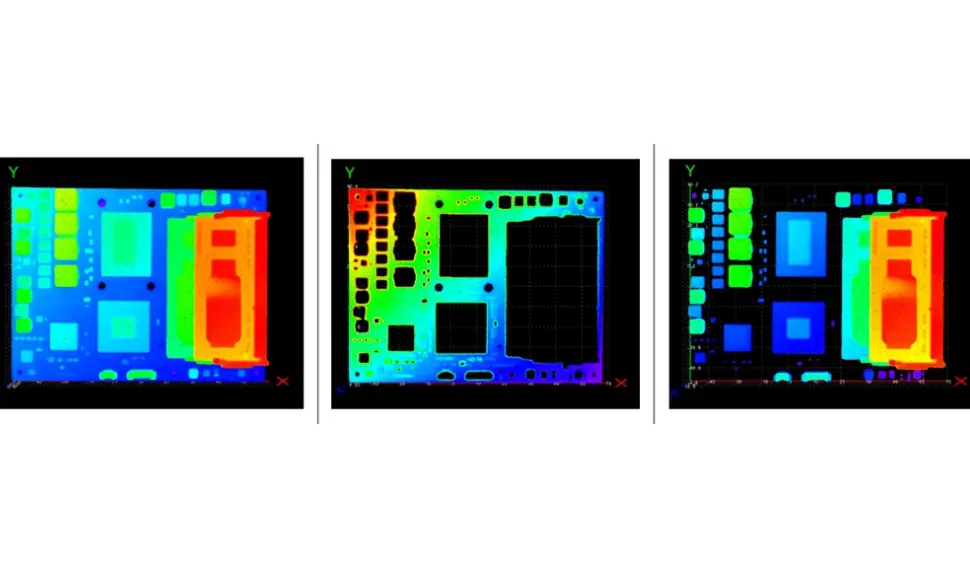
After calibration, the 3D point cloud contains distortion-free data using a real-world 3D coordinate system. Process 3D point clouds using Easy3D functions such as coordinates transformation, point cloud cropping and decimation, plane finding and fitting or part alignment.
Compatibility With 3D Sensors
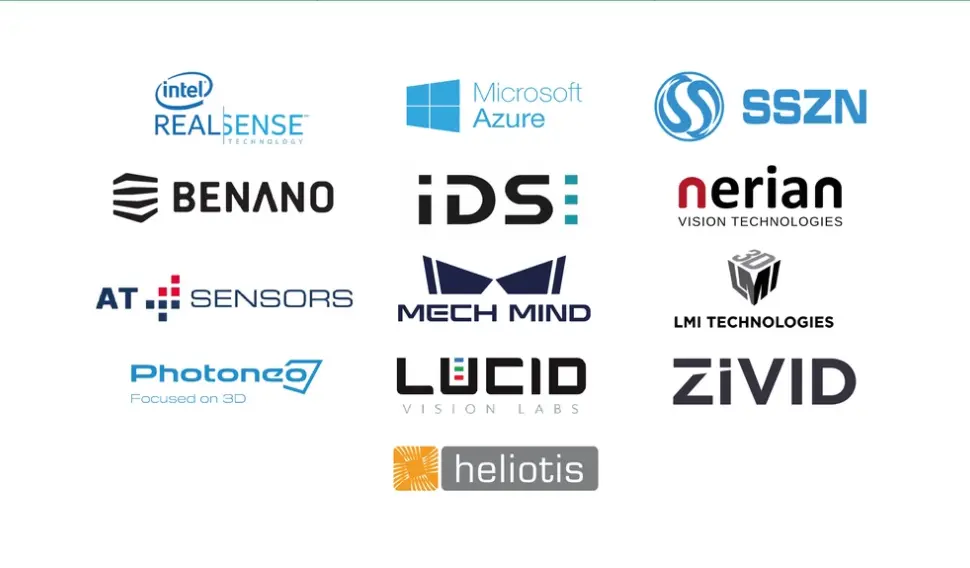
The Easy3D library is able to import data from third-party 3D sensors from Automation Technology, Azure Kinect, Benano, Heliotis, IDS Ensenso, Intel Realsense, Lucid Helios, LMI Gocator, Mech-Mind, Nerian Ruby, Photoneo PhoXi, Shenzhen SinceVision (SSZN), Zivid and others. Point Clouds and ZMaps are managed efficiently and allow 3D processing and analysis to be performed.
ZMap Generation
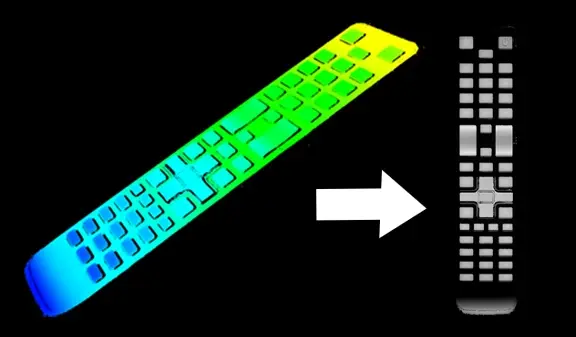
A ZMap is the projection of a point cloud on a reference plane, where distances are stored as pixel gray scale values. ZMaps are distortion free, with a metric coordinate system. Easy3D provides functions to generate such ZMaps. More importantly, you can apply all Open eVision 2D processing functions to ZMaps: filtering and thresholding with EasyImage, blob analysis with EasyObject, sub-pixel measurement with EasyGauge, pattern matching with EasyFind and EasyMatch.
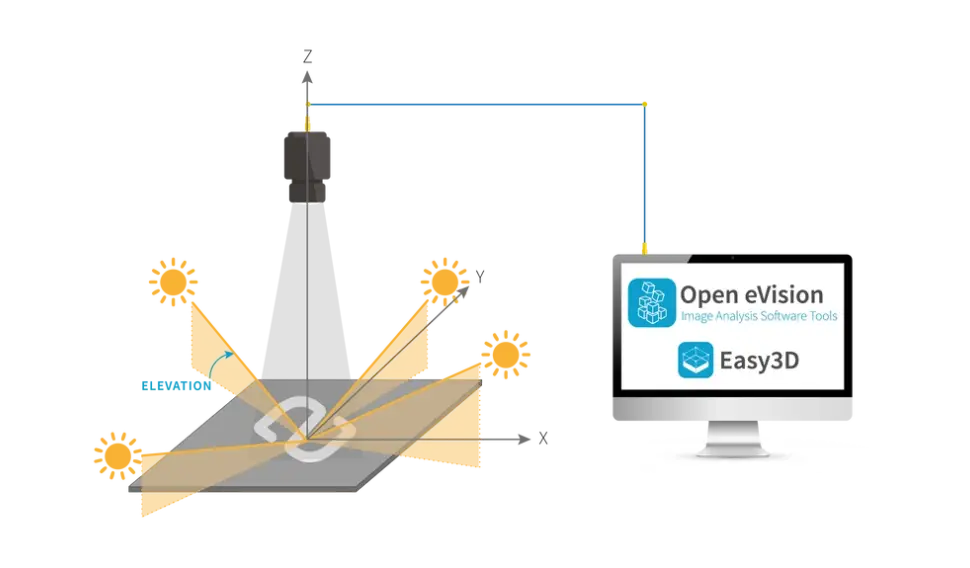
Photometric Stereo For 3D Surface Inspection
The Photometric Stereo function estimates the orientation and albedo of each point of a surface by acquiring several images of the same surface taken from a single viewpoint, but under illumination from different directions. The method is suitable for the inspection of details (defects or information) present on the surface of objects that cannot be seen by a single camera-light pair and reveals small variations in surface curvature or texture. It can be used as a preprocessing phase to other libraries, such as:
- Code reading: EasyMatrixCode, EasyQRCode or EasyBarCode
- Optical character recognition: EasyOCR
- Alignment: EasyMatch, EasyFind
- Measurement: EasyGauge
- Defect detection: EasyObject, EasySegment
Photometric Stereo is available in the Easy3D library.

3D Viewer
Use the 3D Viewer class of Easy3D to create an interactive 3D display. The 3D Viewer can display point clouds and 3D objects. It uses the OpenGL interface and requires a compatible display device.
Other Benefits
Neo Licensing System
Neo is the new Licensing System. It is reliable, state-of-the-art, and is now available to store Open eVision and eGrabber licenses. Neo allows you to choose where to activate your licenses, either on a Neo Dongle or in a Neo Software Container. You buy a license, you decide later.
Neo Dongles offer a sturdy hardware and provide the flexibility to be transferred from a computer to another. Neo Software Containers do not need any dedicated hardware, and instead are linked to the computer on which they have been activated.
Neo ships with its own, dedicated Neo License Manager which comes in two flavours: an intuitive, easy to use, Graphical User Interface and a Command Line Interface that allows for easy automation of Neo licensing procedures.
All Open eVision Libraries For Windows And Linux
- Microsoft Windows 11, 10 for x86-64 (64-bit) processor architecture
- Microsoft Windows 11, 10 IoT Enterprise on x86_64 systems
- Linux for x86-64 (64-bit) and ARMv8-A (64-bit) processor architectures with a glibc version greater or equal to 2.18
Open eVision 3D Studio
Open eVision 3D Studio is the 3D evaluation and prototyping application tool of Open eVision.
The Open eVision 3D Studio application drastically simplifies the configuration of single and dual 3D laser line inspection systems using the Coaxlink Quad 3D-LLE frame grabber, as well as the Easy3D and Easy3DLaserLine libraries.
Open eVision 3D Studio is free and does not require any license.
Software
- Host PC Operating System
-
Open eVision is a set of 64-bit libraries that require an Intel compatible processor with the SSE4 instruction set or an ARMv8-A compatible processor.
Open eVision can be used on the following operating systems:
Microsoft Windows 11, 10 for x86-64 (64-bit) processor architecture
Microsoft Windows 11, 10 IoT Enterprise for x86-64 systems
Linux for x86-64 (64-bit) and ARMv8-A (64-bit) processor architectures with a glibc version greater or equal to 2.18
Remote connections
Remote connections are allowed using remote desktop, TeamViewer or any other similar software.
Virtual machines
Virtual machines are supported. Microsoft Hyper-V, Oracle VirtualBox and libvirt hypervisors have been successfully tested.
Only the Neo Licensing System is compatible with virtualization.
Minimum requirements:
2 GB RAM to run an Open eVision application
8 GB RAM to compile an Open eVision application
Between 100 MB and 2 GB free hard disk space for libraries, depending on selected options.
- APIs
-
Supported programming languages :
The Open eVision libraries and tools support C++, Python and the programming languages compatible with the .NET (C#, VB.NET)
C++ requirements: A compiler compatible with the C++ 11 standard is required to use Open eVision
Python requirements: Python 3.11 or later is required to use the Python bindings for Open eVision
.NET requirements: .NET framework 4.8 (or later) or the .NET platform 6.0 (or later) are supported
Supported Integrated Development Environments:
Microsoft Visual Studio 2017 (C++, C#, VB .NET, C++/CLI)
Microsoft Visual Studio 2019 (C++, C#, VB .NET, C++/CLI)
Microsoft Visual Studio 2022 (C++, C#, VB .NET, C++/CLI)
QtCreator 4.15 with Qt 5.12
Ordering Information
- Product status
-
Released
- Product code - Description
-
PC4181 Open Easy3D for USB dongle
PC4331 Open eVision Easy3D
- Related products
-
PC1637 Coaxlink Quad 3D-LLE
PC6512 eVision/Open eVision USB Dongle (empty)
PC6514 Neo USB Dongle (empty)