


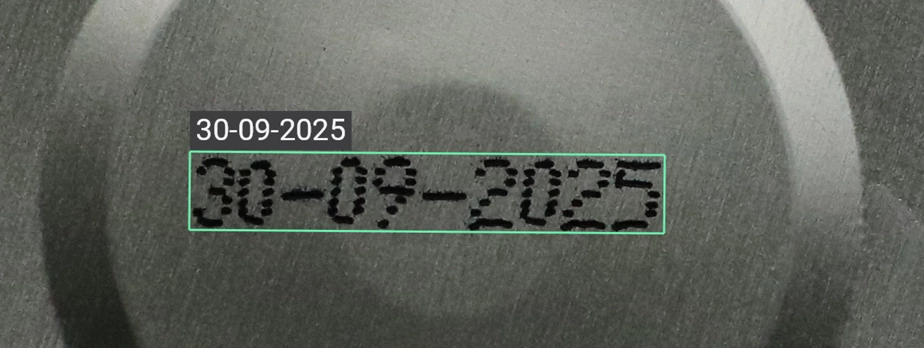
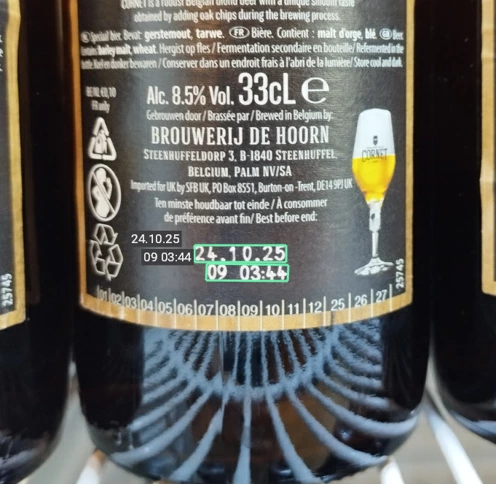
- Tool designed for industrial markings, like serial numbers, expiry dates, part numbers…
- Very easy to use, simple API and no training required
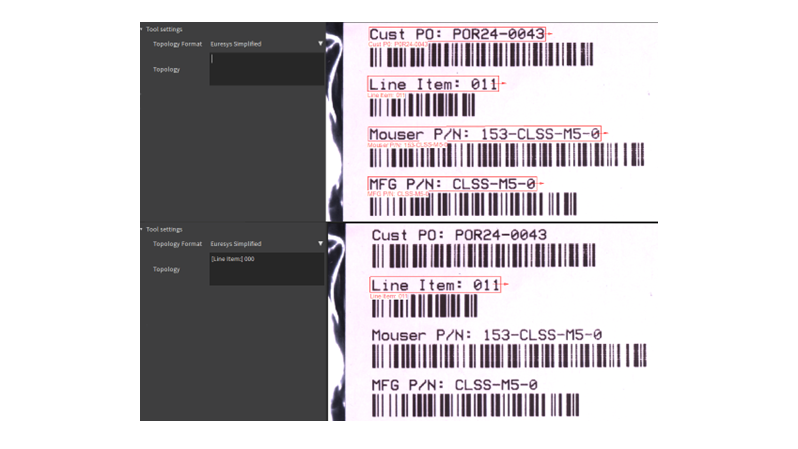
- Optional topology definition to filter out non-relevant texts
- Focus on text reading capability without compromising speed
- Optional optimization of the processing pipeline with a few examples
- Runs on CPU and GPU, Intel and ARM platforms
Description
EasyDeepOCR is a new generation OCR library that relies on deep learning technologies to tackle today’s challenges in text reading. The detection of the texts in the image and the recognition of the characters are fully automated. With the help of a text topology, character ambiguities can be reduced and non-relevant text can be filtered out. An optimization process, which only needs a few samples, can speed up the processing. EasyDeepOCR is a major improvement over EasyOCR and EasyOCR2 libraries, combining ease of use and enhanced capabilities.
Simple API, Yet Impressive Results
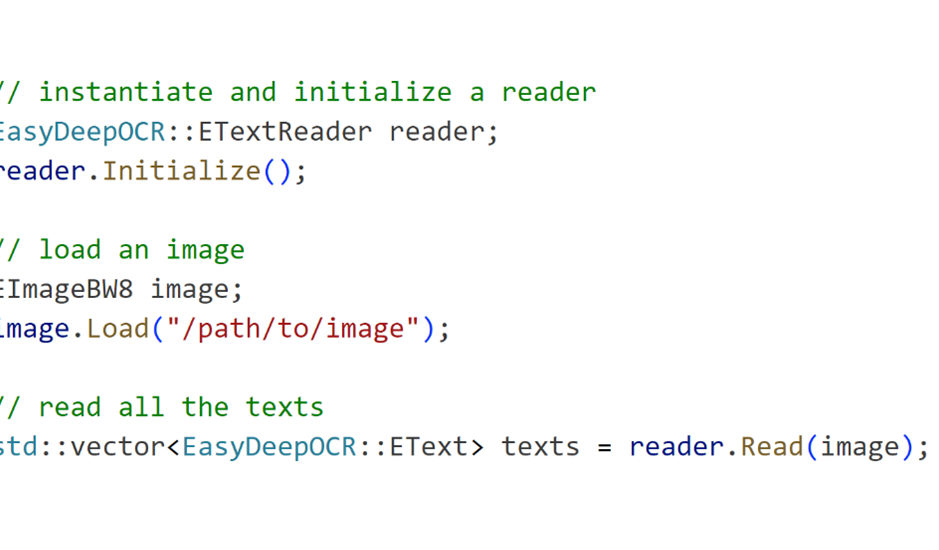
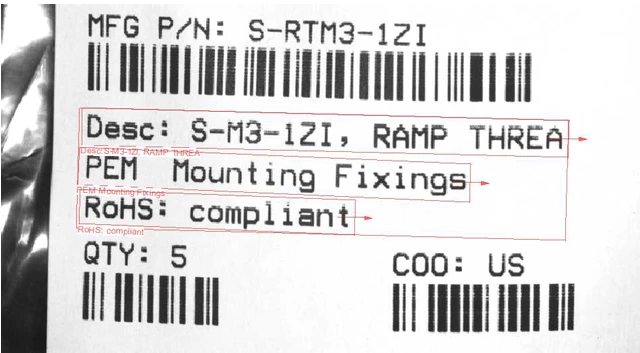
With a single “Read” call, all the texts in the image will be detected and read. No more need to setup complex configuration.
Optimize Operation To Fasten The Processing
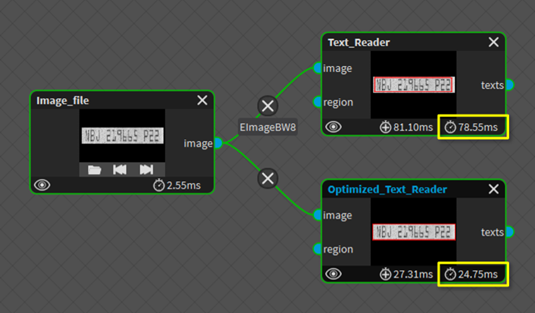
A processing pipeline optimization feature can lead to faster reading. A few sample images, typically between 1 to 3, must be annotated by the user. Then, EasyDeepOCR will choose the internal parameters that will reduce the processing time.
Fully Featured New Open eVision Studio Tool
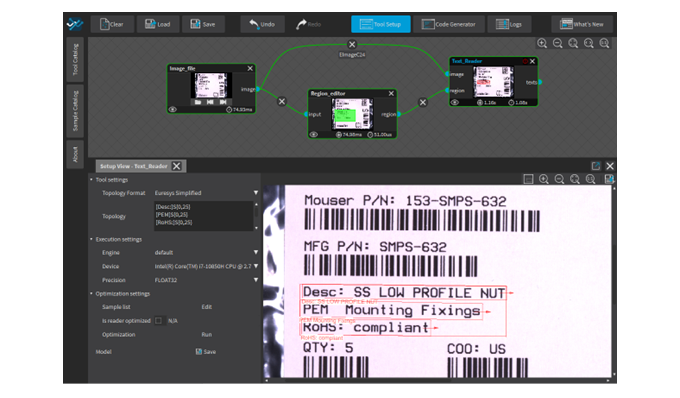
The EasyDeepOCR tool in the New Open eVision Studio exposes all the features of this library. The user can choose the topology and annotate some sample images to perform a pipeline optimization. Deep learning execution settings are exposed, to choose between different Devices (CPU, GPU) and Engines (OpenVINO, TensorRT…).
Topology Definition To Focus On The Right Texts
Topology defines the format of the targeted text. Topology is very practical in the context of industrial marking, to focus on expiry date, part number or other strongly formatted texts. The definition of Topology allows the user to get only the required texts but also helps the character recognition by reducing ambiguities.
Good Performances On CPU (Intel OpenVINO) And GPU (NVidia TensorRT)
EasyDeepOCR has been optimized to run on Intel and ARM CPU (thanks to OpenVINO) and NVidia GPU (thanks to TensorRT).

New Open eVision Studio
Complex image processing sequences can be designed using a graphical interface. The collection of tools represents the diversity and the capabilities of the Open eVision libraries. The C++, Python and C# source code, corresponding to the processing pipeline, is automatically generated and provides an interactive documentation of the Open eVision API. The New Open eVision Studio can process live image sources such as a GigE Vision camera, a Coaxlink frame grabber or eGrabber recorder sequences.
This application is free of charge, runs on Windows, Linux and is compatible with Intel and ARM 64-bit architectures.


Software
- Host PC Operating System
-
Open eVision is a set of 64-bit libraries that require an Intel compatible processor with the SSE4 instruction set or an ARMv8-A compatible processor.
Open eVision can be used on the following operating systems:
Microsoft Windows 11, 10 for x86-64 (64-bit) processor architecture
Microsoft Windows 11, 10 IoT Enterprise for x86-64 systems
Linux for x86-64 (64-bit) and ARMv8-A (64-bit) processor architectures with a glibc version greater or equal to 2.18
Remote connections
Remote connections are allowed using remote desktop, TeamViewer or any other similar software.
Virtual machines
Virtual machines are supported. Microsoft Hyper-V, Oracle VirtualBox and libvirt hypervisors have been successfully tested.
Only the Neo Licensing System is compatible with virtualization.
Minimum requirements:
2 GB RAM to run an Open eVision application
8 GB RAM to compile an Open eVision application
Between 100 MB and 2 GB free hard disk space for libraries, depending on selected options.
- APIs
-
Supported programming languages :
The Open eVision libraries and tools support C++, Python and the programming languages compatible with the .NET (C#, VB.NET)
C++ requirements: A compiler compatible with the C++ 11 standard is required to use Open eVision
Python requirements: Python 3.11 or later is required to use the Python bindings for Open eVision
.NET requirements: .NET framework 4.8 (or later) or the .NET platform 6.0 (or later) are supported
Supported Integrated Development Environments:
Microsoft Visual Studio 2017 (C++, C#, VB .NET, C++/CLI)
Microsoft Visual Studio 2019 (C++, C#, VB .NET, C++/CLI)
Microsoft Visual Studio 2022 (C++, C#, VB .NET, C++/CLI)
QtCreator 4.15 with Qt 5.12
- Input
-
Monochrome and color images
Minimum text height: 12 pixels
Text line maximum aspect ratio: 20
Number of text lines in image: unlimited
Ordering Information
- Product status
-
Released
- Product code - Description
-
PC4191 Open EasyDeepOCR for USB dongle
PC4341 Open eVision EasyDeepOCR
- Related products
-
PC6512 eVision/Open eVision USB Dongle (empty)
PC6514 Neo USB Dongle (empty)