


- Set of optimized fundamental image processing and analysis functions
- Convolution and morphology
- Geometric transformations
- Histogram computation and analysis
- Noise estimation and reduction
- HDR (High Dynamic Range) image fusion
Description
- EasyImage includes operations usually performed as pre-processing steps to improve the image quality and obtain a good contrast between the background and the objects to be inspected.
- EasyImage supports gray-level and color images. Selected morphology functions are also optimized for binary (1-bit per pixel) and bi-level images.
- EasyImage includes numerous image processing functions, such as enhancement and restoration by linear or non-linear filtering, arithmetic and logic operations, geometric transformations for image registration, histogram analysis for thresholding, projection, …
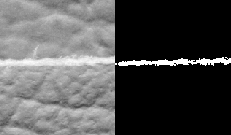
Image Processing Functions
- Arithmetic operations: Addition, Subtraction, Multiplication, Division, Copy, Invert, Module, Shift
- Logical and bitwise operations: AND, OR, XOR, NOT
- Gain / Offset change: Normalization, Uniformization, Lookup table mapping
- Linear filtering: Edge detection (Laplacian, Gradient, Prewitt, Sobel, Roberts filters), Sharpening, Smoothing (Gaussian and uniform filters). Custom kernel filtering: Kernel creation and management functions
- Non-linear filtering: Morphological operators (Erosion, Dilation, Opening, Closing, Thinning, Thickening, Top-hat filter, Hit-and-miss transform, Morphological distance), Median filter
- Histogram equalization
- Thresholding: Automatic thresholding, Min residue, max entropy, isodata, Manual thresholding; Single threshold (absolute and relative), Double threshold, Histogram-based threshold
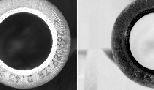
Transformation And Extraction Functions
- Geometric transformations: Image registration (alignment), Horizontal and vertical mirroring, Translation, scaling and rotation with optional interpolation, LUT-based (un)warping
- Vector operations, Projection, Profile sampling (line segment, path, contour) and analysis
- Feature point detectors: Harris corner detector, Canny edge detector
- Noise estimation and reduction: Spatial noise reduction (Convolution, Median filters), Temporal noise reduction (Recursive average, Moving average, Average), Noise estimation (Root-mean-square noise, Signal-to-noise ratio)
- Image focusing
- Statistics: Measurement of Area, Binary moments, Weighted moments, Gravity center, Pixel count and pixel statistics, Minimum and maximum gray-level value, Average, variance and standard deviation
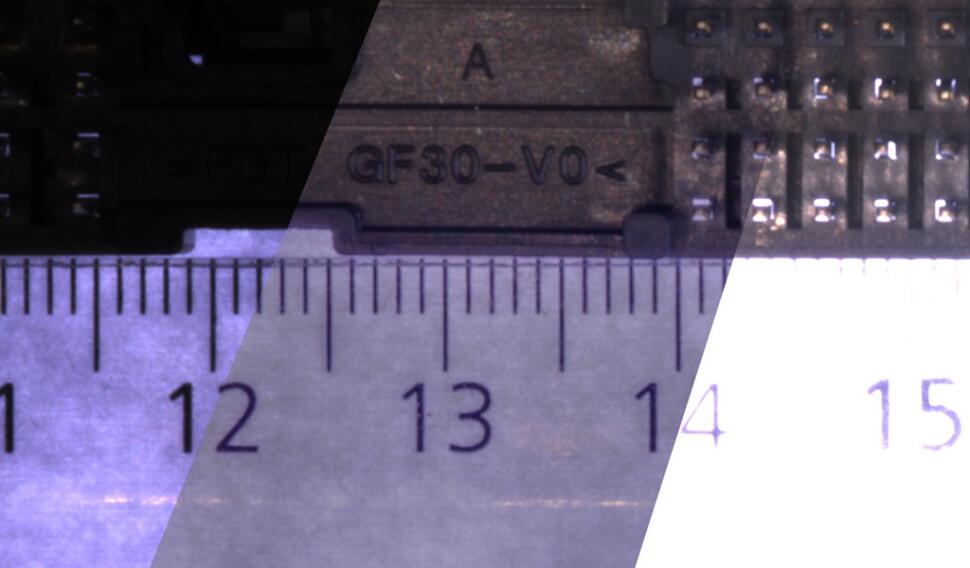
High Dynamic Range Fusion
The High Dynamic Range image fusion provides methods to merge several input images captured with different exposure times into a single image, while conserving the details and the visual quality of the source images. Several merging and tone mapping algorithms are provided to cover a large range of contexts.
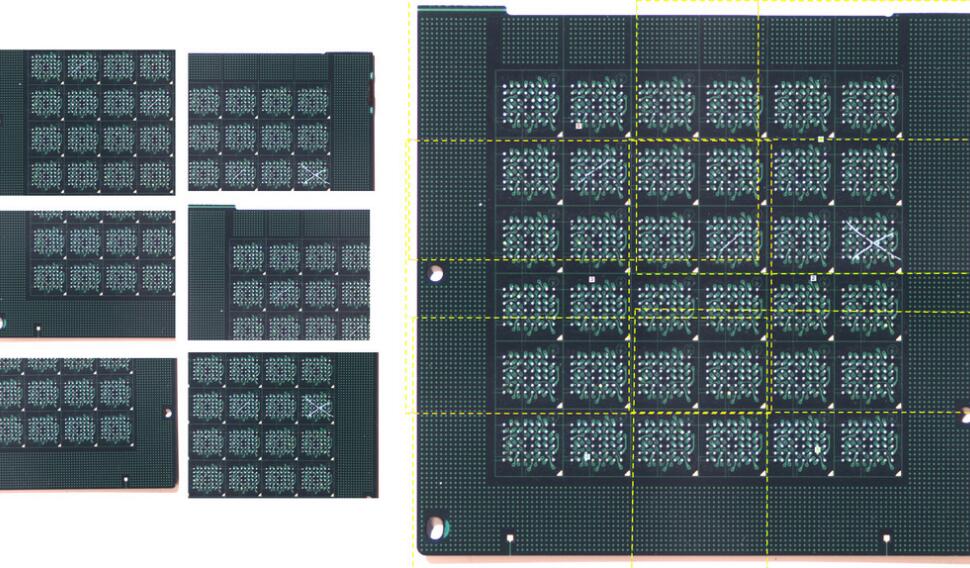
Image Stitching
Image stitching is the process that involves combining multiple individual images into a larger image to create a seamless and comprehensive view of an object. Image stitching in EasyImage is able to stitch images of planar objects that have already been rectified, to remove the perspective and the lens distortion (with the usage of an image calibration model). This image stitching function is suitable for high resolution image reconstruction of wafers, or PCBs.
Other Benefits
Neo Licensing System
Neo is the new Licensing System. It is reliable, state-of-the-art, and is now available to store Open eVision and eGrabber licenses. Neo allows you to choose where to activate your licenses, either on a Neo Dongle or in a Neo Software Container. You buy a license, you decide later.
Neo Dongles offer a sturdy hardware and provide the flexibility to be transferred from a computer to another. Neo Software Containers do not need any dedicated hardware, and instead are linked to the computer on which they have been activated.
Neo ships with its own, dedicated Neo License Manager which comes in two flavours: an intuitive, easy to use, Graphical User Interface and a Command Line Interface that allows for easy automation of Neo licensing procedures.
All Open eVision Libraries For Windows And Linux
- Microsoft Windows 11, 10 for x86-64 (64-bit) processor architecture
- Microsoft Windows 11, 10 IoT Enterprise on x86_64 systems
- Linux for x86-64 (64-bit) and ARMv8-A (64-bit) processor architectures with a glibc version greater or equal to 2.18
Open eVision Studio
Open eVision Studio is the evaluation, prototyping and development tool of Open eVision.
Its intuitive graphical user interface allows you to call and immediately see the result of any of eVision’s 2D image processing functions. A scripting functionality generates the corresponding code, which can then be copied and pasted into your application.
Open eVision Studio is free (when using Open eVision 2.0 and above) and does not require any license.


Software
- Host PC Operating System
-
Open eVision is a set of 64-bit libraries that require an Intel compatible processor with the SSE4 instruction set or an ARMv8-A compatible processor.
Open eVision can be used on the following operating systems:
Microsoft Windows 11, 10 for x86-64 (64-bit) processor architecture
Microsoft Windows 11, 10 IoT Enterprise for x86-64 systems
Linux for x86-64 (64-bit) and ARMv8-A (64-bit) processor architectures with a glibc version greater or equal to 2.18
Remote connections
Remote connections are allowed using remote desktop, TeamViewer or any other similar software.
Virtual machines
Virtual machines are supported. Microsoft Hyper-V, Oracle VirtualBox and libvirt hypervisors have been successfully tested.
Only the Neo Licensing System is compatible with virtualization.
Minimum requirements:
2 GB RAM to run an Open eVision application
8 GB RAM to compile an Open eVision application
Between 100 MB and 2 GB free hard disk space for libraries, depending on selected options.
- APIs
-
Supported programming languages :
The Open eVision libraries and tools support C++, Python and the programming languages compatible with the .NET (C#, VB.NET)
C++ requirements: A compiler compatible with the C++ 11 standard is required to use Open eVision
Python requirements: Python 3.11 or later is required to use the Python bindings for Open eVision
.NET requirements: .NET framework 4.8 (or later) or the .NET platform 6.0 (or later) are supported
Supported Integrated Development Environments:
Microsoft Visual Studio 2017 (C++, C#, VB .NET, C++/CLI)
Microsoft Visual Studio 2019 (C++, C#, VB .NET, C++/CLI)
Microsoft Visual Studio 2022 (C++, C#, VB .NET, C++/CLI)
QtCreator 4.15 with Qt 5.12
Ordering Information
- Product Status
-
Released
- Product code - Description
-
PC4151 Open EasyImage for USB dongle
PC4301 Open eVision EasyImage